Los pedidos se entregan normalmente a España en un plazo de 48 horas, según la ubicación.
El envío gratuito a España se aplica a pedidos de 50 EUR o más. Los gastos de envío serán de 18 EUR para todos los pedidos inferiores a 50 EUR.
Flete prepago de UPS o FedEx: DDP (aranceles y aduanas pagados por DigiKey)
Flete prepago de DHL: CPT (aranceles, aduanas e IVA adeudados en el momento de la entrega)
Cuenta de crédito para instituciones y empresas calificadas
Pago por adelantado a través de transferencia bancaria
![]()
![]()
![]()
![]()


Más productos de socios totalmente autorizados
Tiempo promedio de envío de 1 a 3 días , se pueden aplicar cargos adicionales por envío. Consulte la página de productos, el carrito y el pago para estimar la velocidad del envío actual.
Incoterms: CPT (impuestos, tarifas aduaneras e IVA/impuestos aplicables pagaderos en el momento de la entrega)
Para obtener más información, visite Ayuda y soporte
In this tutorial, we’ll demonstrate how to set up a communication channel between a ROS 2 node running on a Raspberry Pi and an Arduino-compatible microcontroller to control a simple robot.
In this tutorial, we take the next step and create a complete system using both TF2 broadcasters and listeners.
In this tutorial, we begin working with TF2, the ROS 2 library that handles coordinate transformations.
In this tutorial, we’ll explore how ROS 2 launch files simplify node orchestration.
In this tutorial, we'll explore how to use parameters in ROS 2 to dynamically configure nodes.
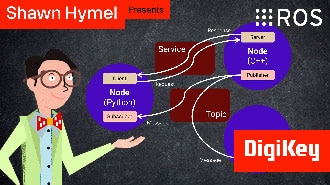
In this episode, we’ll go one step further by creating and using custom interfaces in both Python and C++. You’ll learn how to define your own message and service types and use them in publisher/subscriber and client/server architectures.
In this tutorial, we will see how services work by creating a custom server and client in C++ ROS nodes.
In this tutorial, we will see how services work by creating a custom server and client in Python ROS nodes.
In this tutorial, we’ll walk through how to write ROS 2 nodes in C++ that communicate using the publish/subscribe model.
This tutorial will walk you through creating a publisher and subscriber from scratch using ROS 2’s Python client library, rclpy.
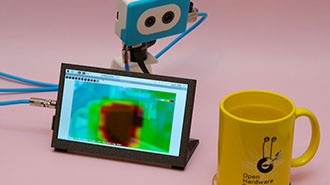
This project fuses the Raspberry Pi's camera feed with a thermal graphic overlay.
In this tutorial, we’ll dive into one of the most essential parts of working with ROS 2: the command-line interface (CLI). Before writing any code, it’s important to understand the basic tools that ROS 2 provides for exploring, debugging, and interacting with nodes, topics, and services.
¡Gracias!
¡Esté atento a las noticias y actualizaciones de DigiKey que llegarán a su bandeja de entrada!
Ingrese una dirección de correo electrónico
Acepte marcando la casilla